
Reminder before you start:
To install your GoMoWorld eSIM, make sure you have:
Step-by-step installation
After purchasing your plan, open the GoMoWorld app
If not logged - in, login using the same credentials you used for purchase
Tap the “INSTALL ESIM” button on the home screen.
The app will now generate your eSIM. This can take up to 2 minutes depending on your internet speed.
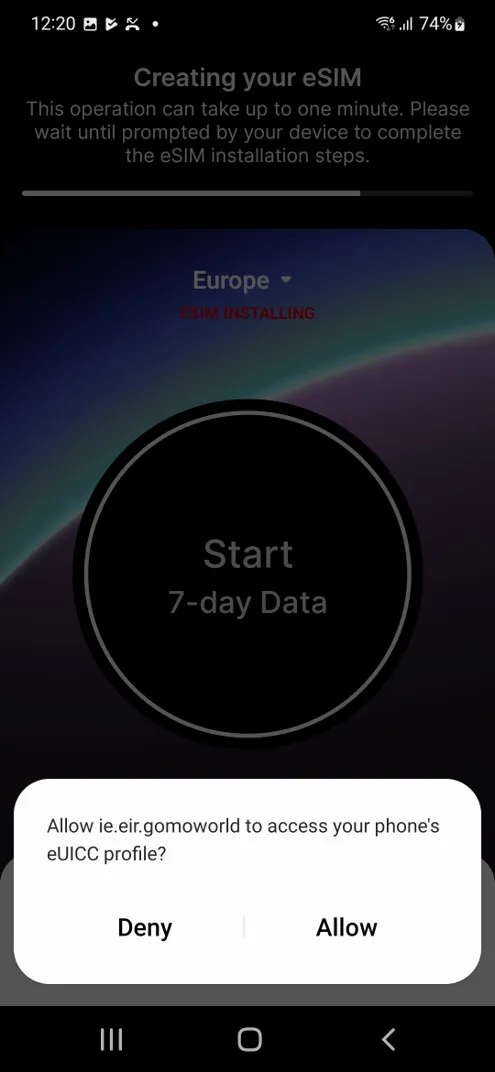
You need to authorize ie.eir.gomoworld to access the eUICC (an eUICC is the approval method required to allow an eSIM to work on your handset) profile on your device.
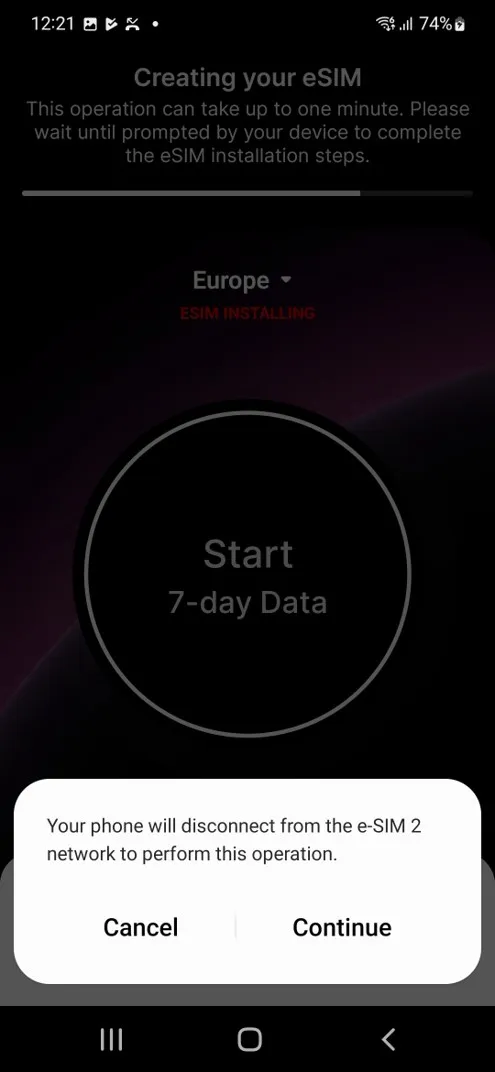
If another eSIM is currently active, your phone may ask you to temporarily disable it to proceed. You can re-enable it later if needed.
 \
\
Once the eSIM installation is complete, you will be asked to check your device settings. Please check the following points:
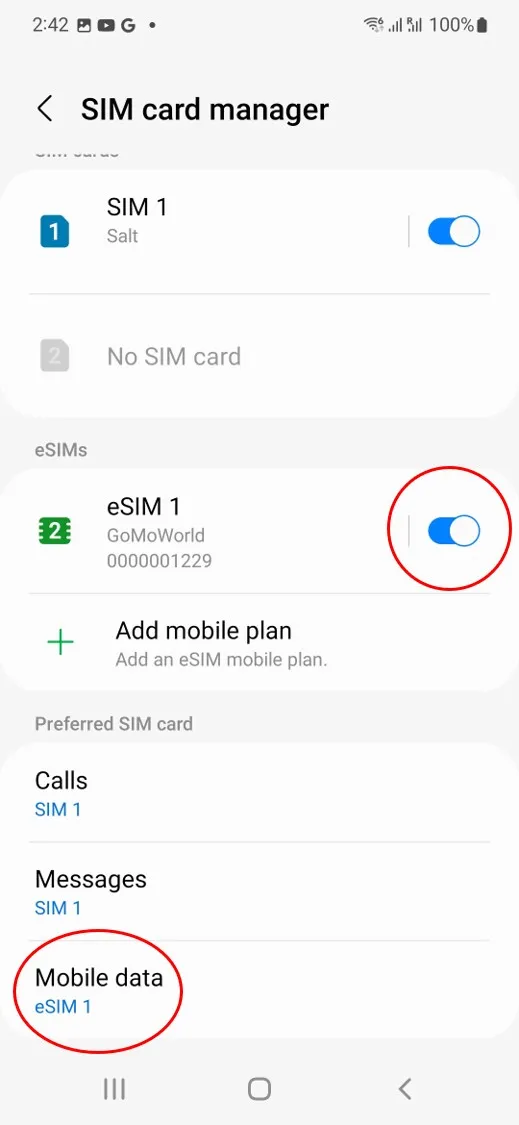
Go to Settings > Connections > SIM card manager and ensure GoMoWorld is toggled on and Mobile Data is configured with GoMoWorld eSIM.
Calls and messages should remain on your physical SIM or on the eSIM corresponding to your main phone number.
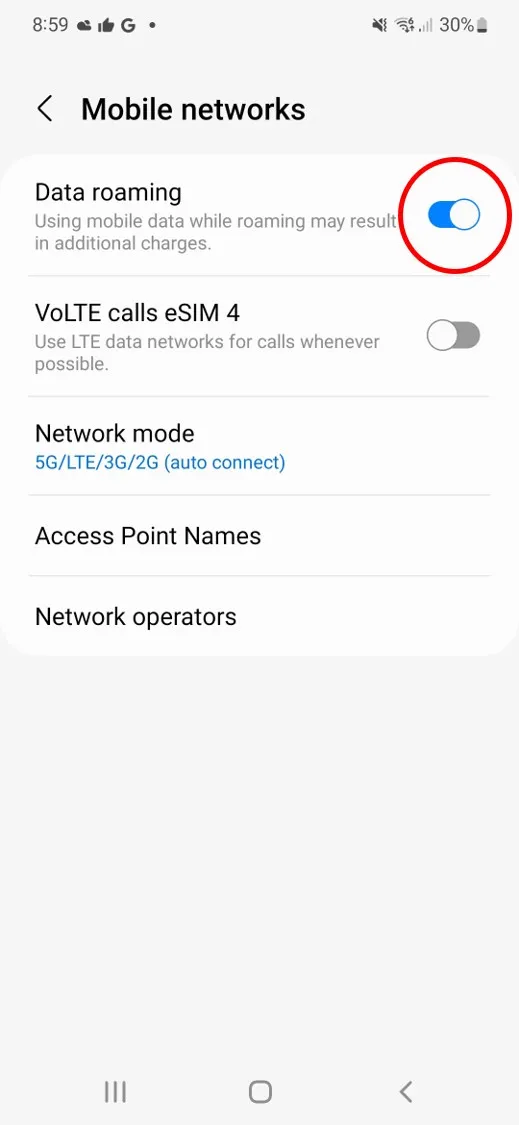
Go to Settings > Connections > Mobile networks and toggle on Data Roaming
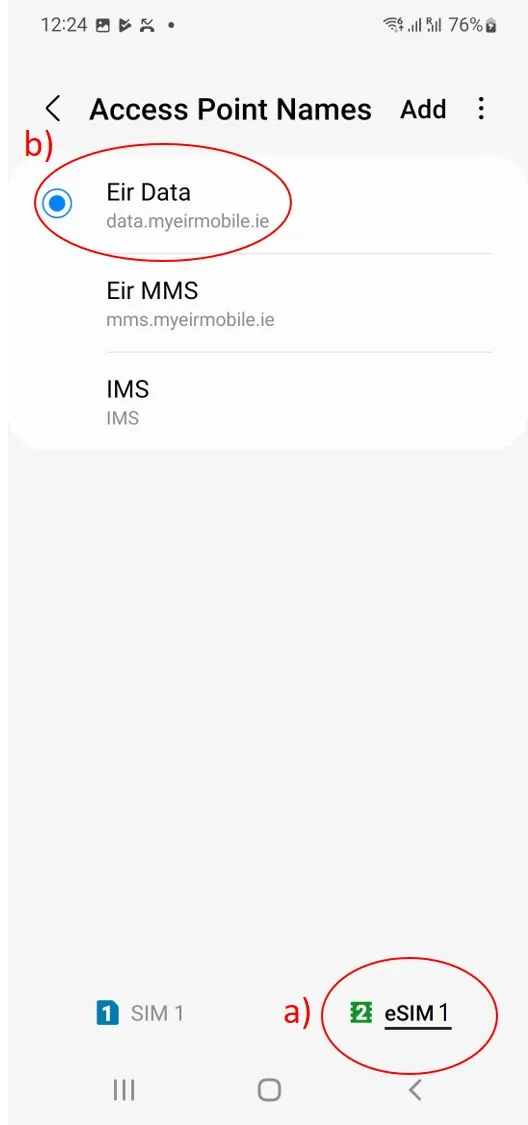
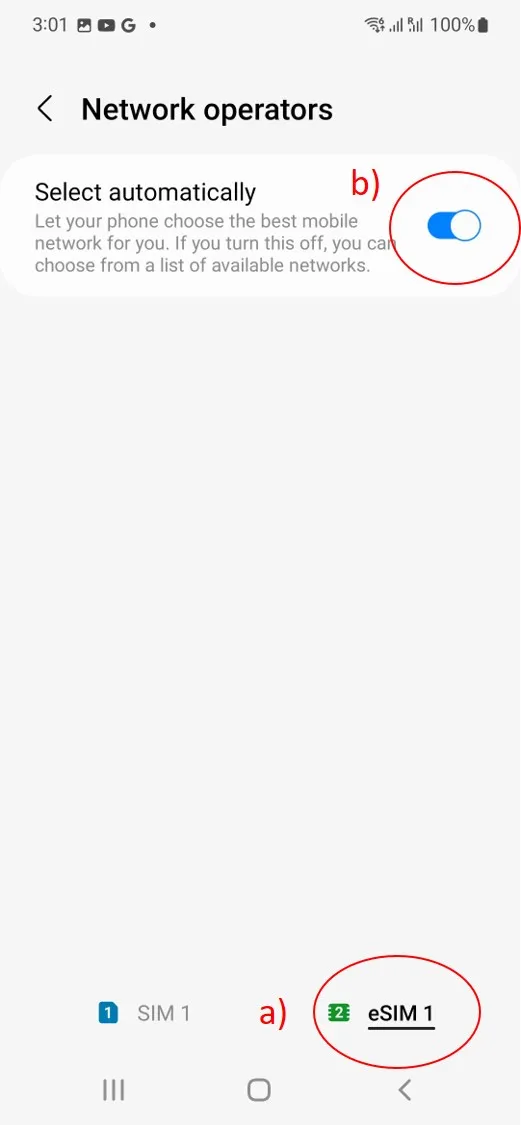
Important notes:
How do I enable roaming on Android (Google Pixel and Oppo)?

How do I enable roaming on iOS?
How do I enable roaming on Android (Samsung, Motorola, …)?
How do I install a GoMoWorld eSIM on Android (Samsung, Motorola, …)?
How do I install a GoMoWorld eSIM on iPhone (iOS)?
Do I need an internet connection to install the eSIM?
Can I reuse my eSIM for future travel?
Can I use mobile data and hotspot/tethering with GoMoWorld?
What should I do when I return to my home country?
When does my GoMoWorld data plan start?
Reminder before you start:
To install your GoMoWorld eSIM, make sure you have:
Step-by-step installation
After purchasing your plan, open the GoMoWorld app
If not logged - in, login using the same credentials you used for purchase
Tap the “INSTALL ESIM” button on the home screen.
The app will now generate your eSIM. This can take up to 2 minutes depending on your internet speed.
You need to authorize ie.eir.gomoworld to access the eUICC (an eUICC is the approval method required to allow an eSIM to work on your handset) profile on your device.
If another eSIM is currently active, your phone may ask you to temporarily disable it to proceed. You can re-enable it later if needed.
\
Once the eSIM installation is complete, you will be asked to check your device settings. Please check the following points:
Go to Settings > Connections > SIM card manager and ensure GoMoWorld is toggled on and Mobile Data is configured with GoMoWorld eSIM.
Calls and messages should remain on your physical SIM or on the eSIM corresponding to your main phone number.
Go to Settings > Connections > Mobile networks and toggle on Data Roaming
Important notes:
Need Support?
At GoMoWorld, we're here to help. Chat with our care team and we will be in touch very quickly.